How to Use AI for Business
A simple guide for beginners who want to start smart.
AI can help you start a business faster — but only if you use it the right way.
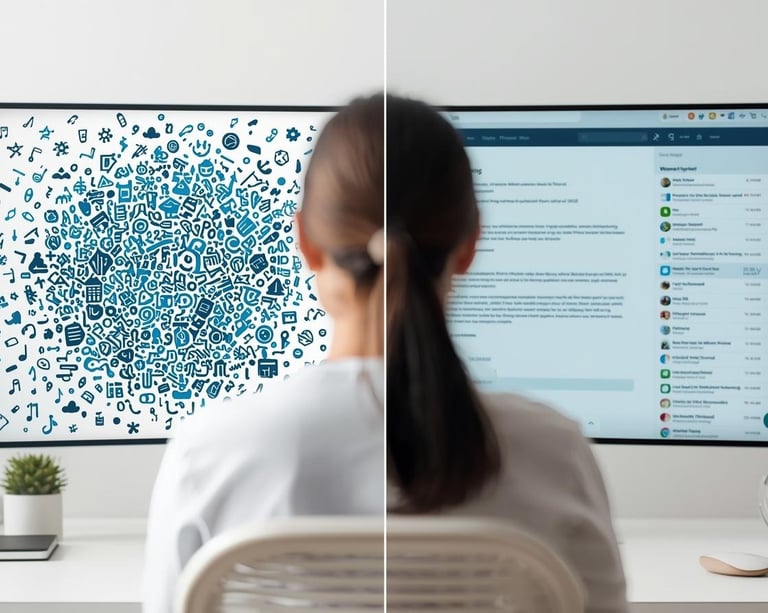
If you’ve ever typed something into ChatGPT and thought, “That’s not helpful,” it’s usually not the tool. It’s how the question was asked.
This guide shows you how to use AI for business planning in a clear, practical way so you get better answers and avoid common mistakes.
Finally, something easy to understand!!
K. Berry


Win the AI Game
1️⃣ How to Write Better AI Prompts for Business
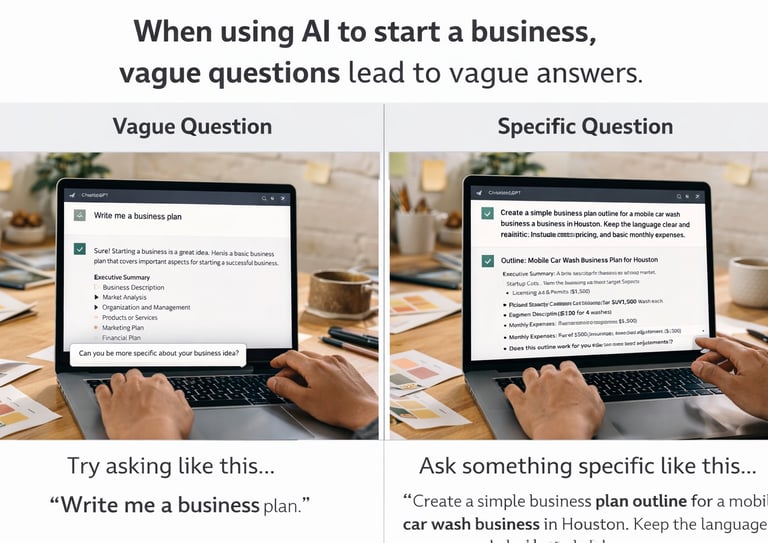
When using AI to start a business, vague questions lead to vague answers.
Instead of typing:
“Write me a business plan.”
Try something like:
“Create a simple business plan outline for a mobile car wash business in Houston. Keep the language clear and realistic. Include startup costs, pricing, and basic monthly expenses.”
The more specific you are about:
• What the business is
• Where it operates
• Who the customer is
• What tone you want
• How detailed you want it
The better the output will be.
Clear questions get clear results.
2️⃣ Common AI Business Mistakes
AI is a tool — not a business owner.
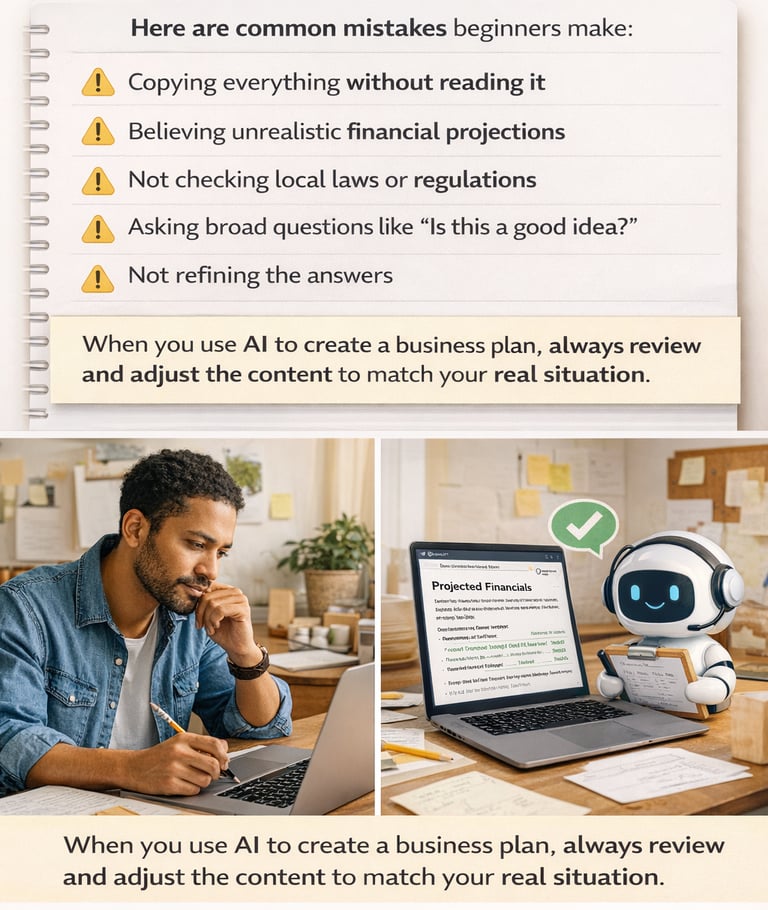
Here are common mistakes beginners make:
• Copying everything without reading it
• Believing unrealistic financial projections
• Not checking local laws or regulations
• Asking broad questions like “Is this a good idea?”
• Not refining the answers
When you use AI to create a business plan, always review and adjust the content to match your real situation.
You are in charge. AI supports you.
3️⃣ How to Fix AI Answers So They Make Sense
The first answer you get is usually just a draft.
You can improve it by asking follow-up questions like:
“Make this simpler.”
“Rewrite this in plain language.”
“Make the numbers more realistic for a small business.”
“Shorten this to one page.”
“Add more detail to the pricing section.”
Using AI for small business planning works best when you treat it like a back-and-forth conversation.
Re-use prompt until it sounds like something you would actually use.


4️⃣ Prompts for Better Business AI Results
When creating prompts for business planning, include five things:
The role
The task
The context
The limits
The format
Example:
“Act as a small business advisor. Help me create a simple pricing plan for a home-based bakery in Chicago. Keep it realistic and easy to understand. Use bullet points.”
This structure helps AI give you more organized and useful answers.
5️⃣ Using AI Responsibly When Starting a Business
AI can help you create a business plan, estimate startup costs, and outline your launch steps.
But it cannot:
• Guarantee profits
• Replace real research
• Know your local laws automatically
• Make decisions for you
Always:
• Double-check financial numbers
• Confirm legal requirements in your state
• Adjust advice to match your real-life situation
AI helps you think.
You still make the final call.


Final Thought
If you’re learning how to use AI for business, remember this:
Be clear.
Be specific.
Review everything.
Adjust to your reality.
That’s how you turn AI into a useful startup tool instead of a confusing one.
AI Resources
These are few popular AI Resources.
ChatGPT, Claude, Gemni, Gamma.app
(For Planning & Writing)
What It Is
These are your AI writing assistants. You type a question or request, and it gives you a written response.
Think of it like a very fast helper that can draft things for you.
How It Helps When Starting a Business
• Outline a business plan
• Brainstorm business names
• Estimate startup costs
• Draft pricing ideas
• Write simple marketing copy
• Create launch checklists
It helps you organize your thoughts faster instead of staring at a blank page.
What It Cannot Do
It cannot:
• Guarantee your business will succeed
• Know your local laws automatically
• Replace real research
• Make decisions for you
It gives suggestions.
You make the final call.
How to Use It Wisely
Be specific.
Instead of typing:
“Help me start a business.”
Try:
“Act as a small business advisor. Help me create a simple business plan outline for a mobile car detailing business in Dallas. Keep it realistic and easy to understand.”
The clearer your question, the better your answer.
Canva (For Simple Design & Branding)
What It Is
Canva is a beginner-friendly design tool. It lets you create graphics, flyers, social posts, and simple logos.
You don’t need design experience.
How It Helps When Starting a Business
You can use Canva to create:
• A simple logo
• Business cards
• Social media posts
• A one-page business summary
• A basic pitch deck
• Flyers for local promotion
It helps you look more organized and professional without hiring a designer right away.
What It Cannot Do
Canva will not:
• Fix a weak business idea
• Replace strong planning
• Automatically make you stand out
Design supports your business.
It doesn’t build it.
How to Use It Wisely
Keep it simple.
Use clean fonts.
Limit colors.
Focus on clarity over decoration.
Your goal is to look clear and trustworthy — not flashy.
Nano Banana Pro,Midjourney, Stable Diffusion (Image Generators)
What It Is
Google’s AI image creator is a tool that can generate images from simple text descriptions. You type what you want to see, and it creates a picture for you.
How It Helps When Starting a Business
When you’re building a new business, you may need:
• Logo ideas
• Website images
• Social media graphics
• Product mockups
• Visual concepts for branding
Instead of hiring a designer right away, you can use AI to create starting ideas quickly.
What It Cannot Do
It won’t replace a professional designer long term.
It won’t understand your brand perfectly on the first try.
And it may need several attempts before you get something usable.
It’s a brainstorming tool — not magic.
How to Use It Wisely
Be clear about what you want.
Instead of typing:
“Make me a logo.”
Try something like:
“Create a simple, modern logo concept for a small home-based bakery called ‘Sweet Rise.’ Use soft earth tones and clean typography.”
The more details you give, the better the result.
Do Not Forget
Use AI image tools to test ideas and move faster.
But always ask yourself:
Does this fit my business?
Does this look professional?
Does this represent my customer?
AI can create options.
You choose what represents your brand.
Let's Start Your Business With AI
Start Business AI provides practical, beginner-friendly guidance on how to use AI tools responsibly when starting and building a business. Clear steps. Real structure. No hype..
Contact HELLO@startbusinessai.com
© 2026 All rights reserved.